
Manage your plan and care anytime
Use our secure member portal, InTouch, to get started. Sign in or create an account to access your plan details and PacificSource MyChart.
Sign in or registerLearn more
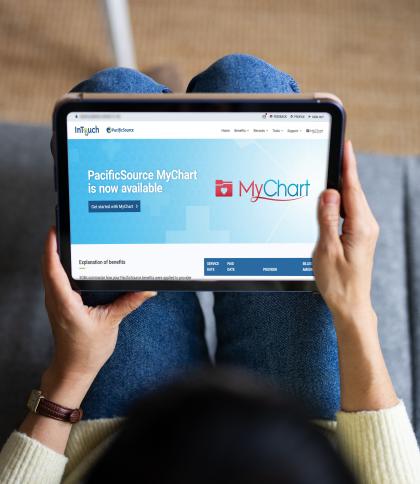
Getting started
InTouch is your secure member portal to access your health plan details and PacificSource MyChart.
Access your account
Sign in to InTouch to:
• View your benefits
• Set communication preferences
• Access MyChart to connect with your PacificSource care team
Set up MyChart mobile
1. Download the MyChart app
2. Select Add organization
3. Search for PacificSource
4. Choose PacificSource and select Add Selected Organizations
5. Sign in with your InTouch username and password
InTouch is your secure member portal for managing your PacificSource health plan. Log in to InTouch to:
- Check your deductible and out-of-pocket totals
- View your coverage and eligibility information
- View and track claims
- Review benefit usage and remaining limits
- Print your member ID card or request a replacement
- Update your address and contact preferences
- Estimate healthcare costs
- Access CVS Pharmacy®
Once you’re signed in to InTouch, select MyChart from the main menu—you won’t need to sign in again. In MyChart, you can:
- Message PacificSource Care Management and Appeals & Grievances teams
- View and follow your care plan
- Complete health questionnaires and assessments
- Check authorization updates
- Read letters and notices about:
- Care management
- Appeals and grievances
- Medical authorizations
- Pharmacy authorizations
Frequently asked questions
Not exactly. It’s not the same MyChart you use with your provider, but it will feel familiar and easy to use.
Start in InTouch to manage your health plan and access MyChart for your care and health information—without signing in again. If you already use MyChart, you can add PacificSource as a new organization in the MyChart app.
No. You can access MyChart directly through InTouch without signing in again. If you already use MyChart with your provider, you can add PacificSource as a new organization in the MyChart mobile app.
Use InTouch to manage your health plan, like benefits and claims. Use MyChart for your care, including care plans, messages, and health information.
No. Messages and information you send to PacificSource through InTouch are only shared with PacificSource. We don’t have access to messages you send to your healthcare providers through their MyChart accounts, and your providers do not have access to messages you send to PacificSource through InTouch.
Language support options may be available within InTouch, MyChart, and through PacificSource Member Services. If you need assistance in a language other than English, contact Customer Service for help accessing available language assistance services.
Yes. InTouch and MyChart use secure technology to help protect your personal health information and communications. We recommend logging out when you're finished and protecting your account password.
Questions?
If you have questions about InTouch, or your health plan, we’re happy to help.